




























Automating 15–20 courses / day across 5 systems from an Excel file
How we designed everything downstream of the one document that requires judgment, for a training consultancy running fifteen to twenty courses a day.
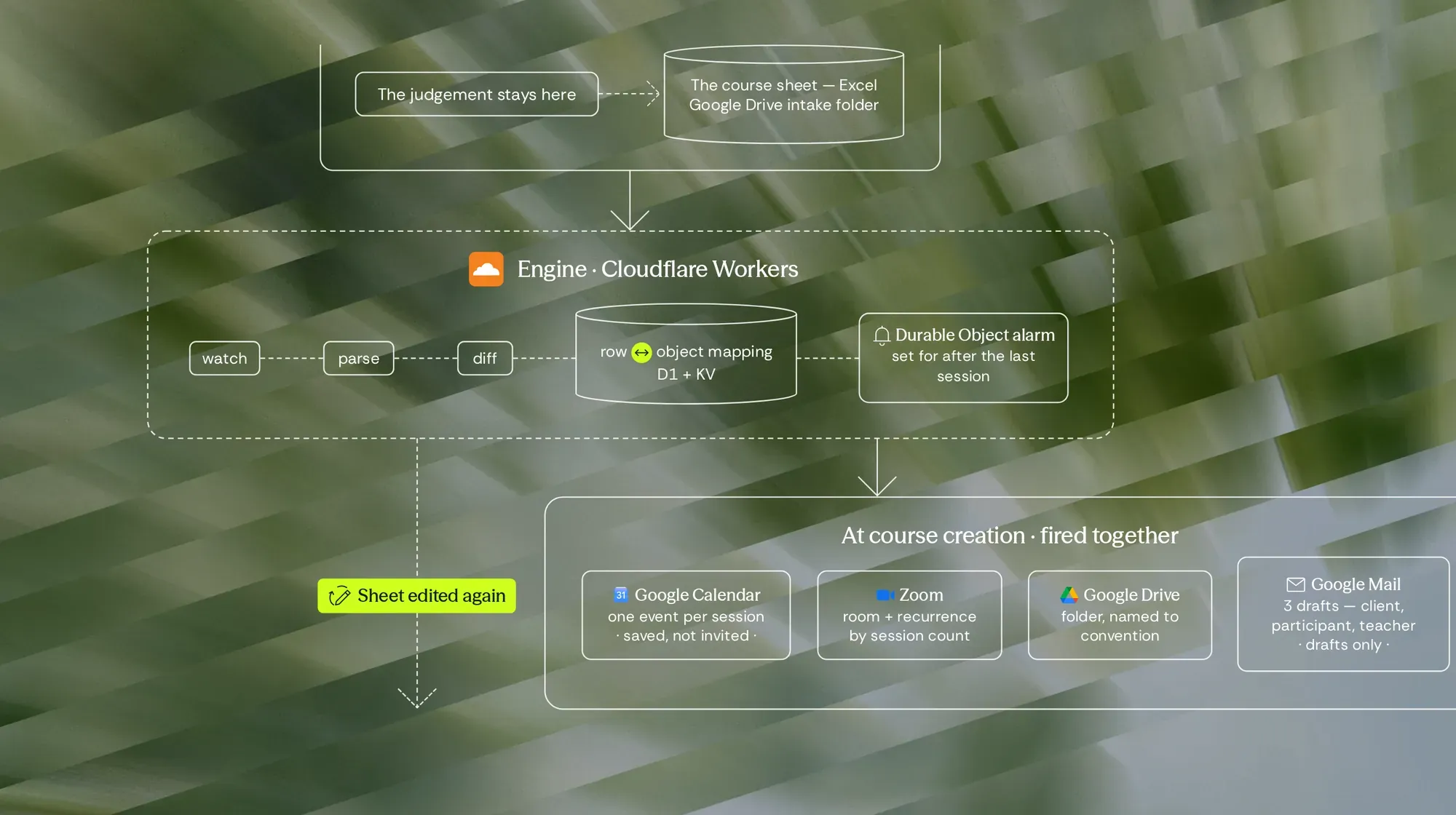
The consultancy designs and delivers training on behalf of staffing agencies.
Every course begins as a single spreadsheet: course details, teaching calendar, teachers, partners. That sheet is the work. It's where the expertise lives, and it's the one thing that should stay in a person's hands.
Everything after it is not.
Once the sheet exists, someone creates a calendar event for each session, opens a Zoom room with the right recurrence count, builds a Drive folder under the correct naming convention, writes three separate activation emails with different attachments for the client, the participant and the teacher, and — when the course ends — rebuilds an attendance report session by session.
Fifteen to twenty courses a day. Twenty to thirty hours a month of work that requires no judgment at all, and breaks if a naming convention slips.
Two things decided the design:
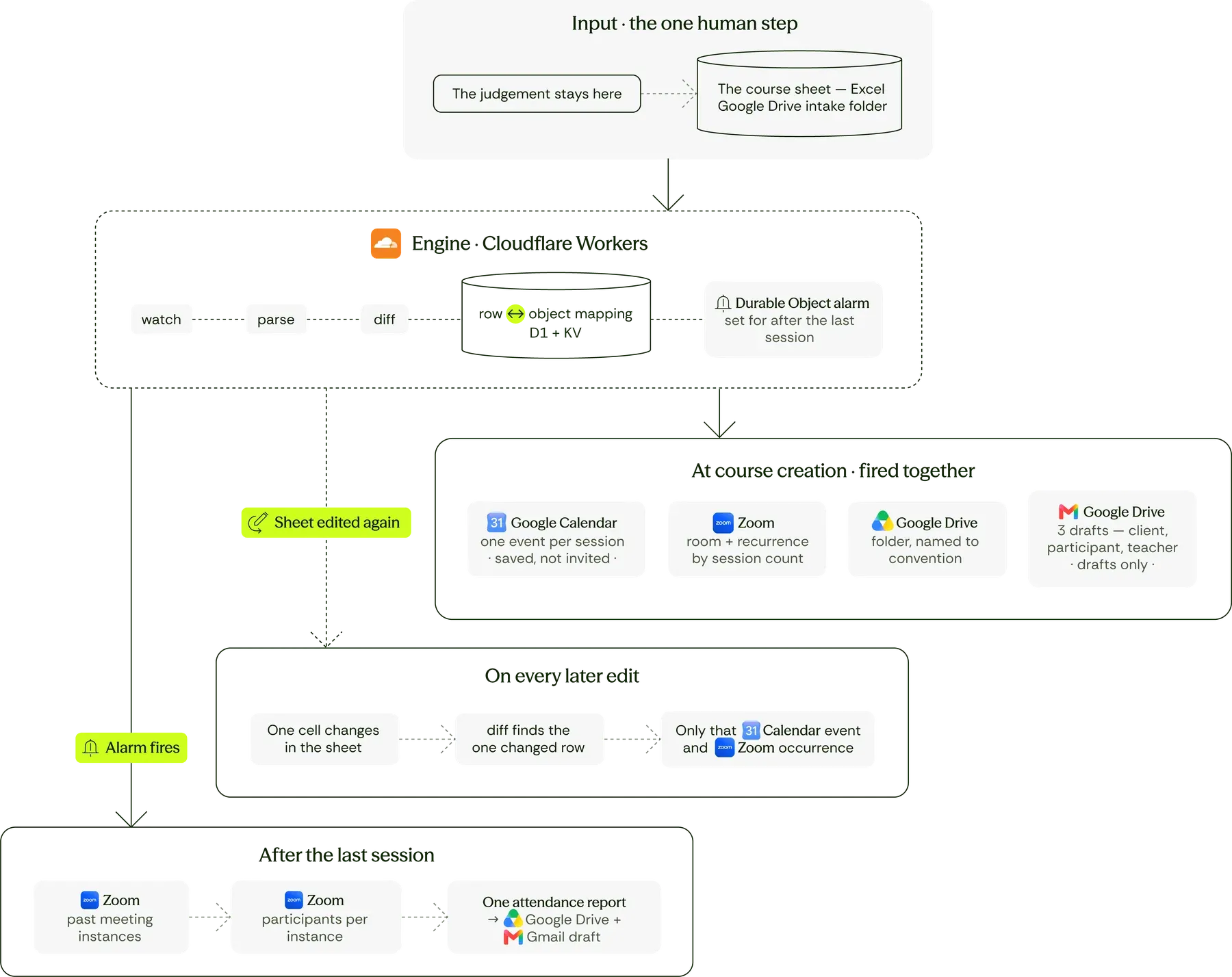
Step 1: The sheet stays the primary source
Automate everything except the judgment.
The spreadsheet isn't replaced by a purpose-built screen, because a second place to enter the same data means keeping two documents aligned by hand — worse than today, not better.
A dedicated intake folder is the only change to how anyone works: a copy of the sheet lands there, and everything downstream follows from it.
One trigger, five effects. Calendar events, one per session. A Zoom room with recurrence derived from total hours rather than an end date. A Drive folder named for the project. Three drafted emails. And, after delivery, an attendance report assembled from the per-session records before the platform expires them.
Step 2: It keeps working after go-live
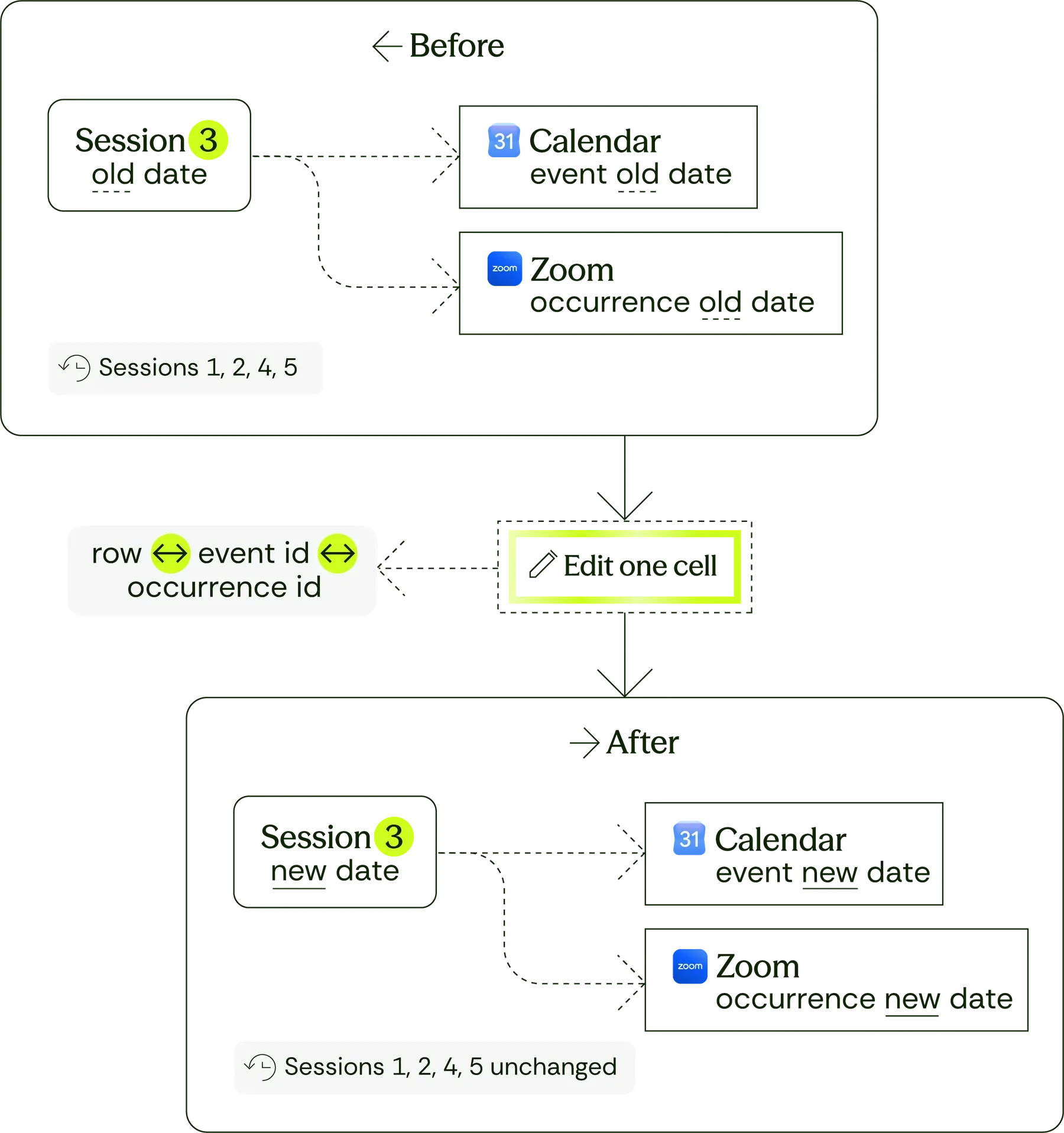
This is the part that matters most in practice. A participant enters a placement mid-course, or a teacher has an emergency, and one session has to move.
Change the date in the cell. The matching calendar event moves. The matching Zoom occurrence moves.
Nothing is left to redo by hand, because the system holds the mapping between a row in the sheet and the objects it created — and only what changed moves.
Nothing sends without a person, either. Calendar events are saved, not invited. Emails are left as drafts. The automation prepares; the consultancy decides when something becomes real to a third party. And the manual path stays walkable — if the automation is wrong or down, every step can still be done by hand, exactly as it is today.
A desktop Excel file, not built for automation
The sheet is a desktop Excel file — not Excel for the web or Google Sheets — so there is no API and no change event to listen to. The automation has to read the file itself, reliably.
A document nobody wants replaced
The sheet is where the expertise lives. A second place to type the same data is worse than the problem.
Nothing may reach a third party unreviewed
Events are saved rather than invited, and emails stay drafts until a person sends them.
Change the date in the cell. Nothing is left to redo by hand.
Twenty to thirty hours a month come back, and none of them were hours anyone wanted to spend.
Naming conventions stop mattering: every folder, room and event is linked to its row in the sheet, not found by its name.
A session can move mid-course without anyone rebuilding a calendar and a Zoom recurrence by hand.
The expertise stays exactly where it is. Nobody has to learn a new system, because the document they already work in is the one the automation reads.
And nothing reaches a client, a participant or a teacher without a person choosing to send it.



Data problems shaped like this one?
If some of this reads like your situation, say which part. Datsugi replies within 2 business hours, guaranteed (CET).

Arrigo Lupori
Founder & Managing Director