




























Mapping 5k+ HubSpot prospects with Mapbox
How we designed a simple state layer between HubSpot and Mapbox that turns a prospect list into territories, rep assignments and field visits — and learns from each rep's history which territories and routes to prioritize next.
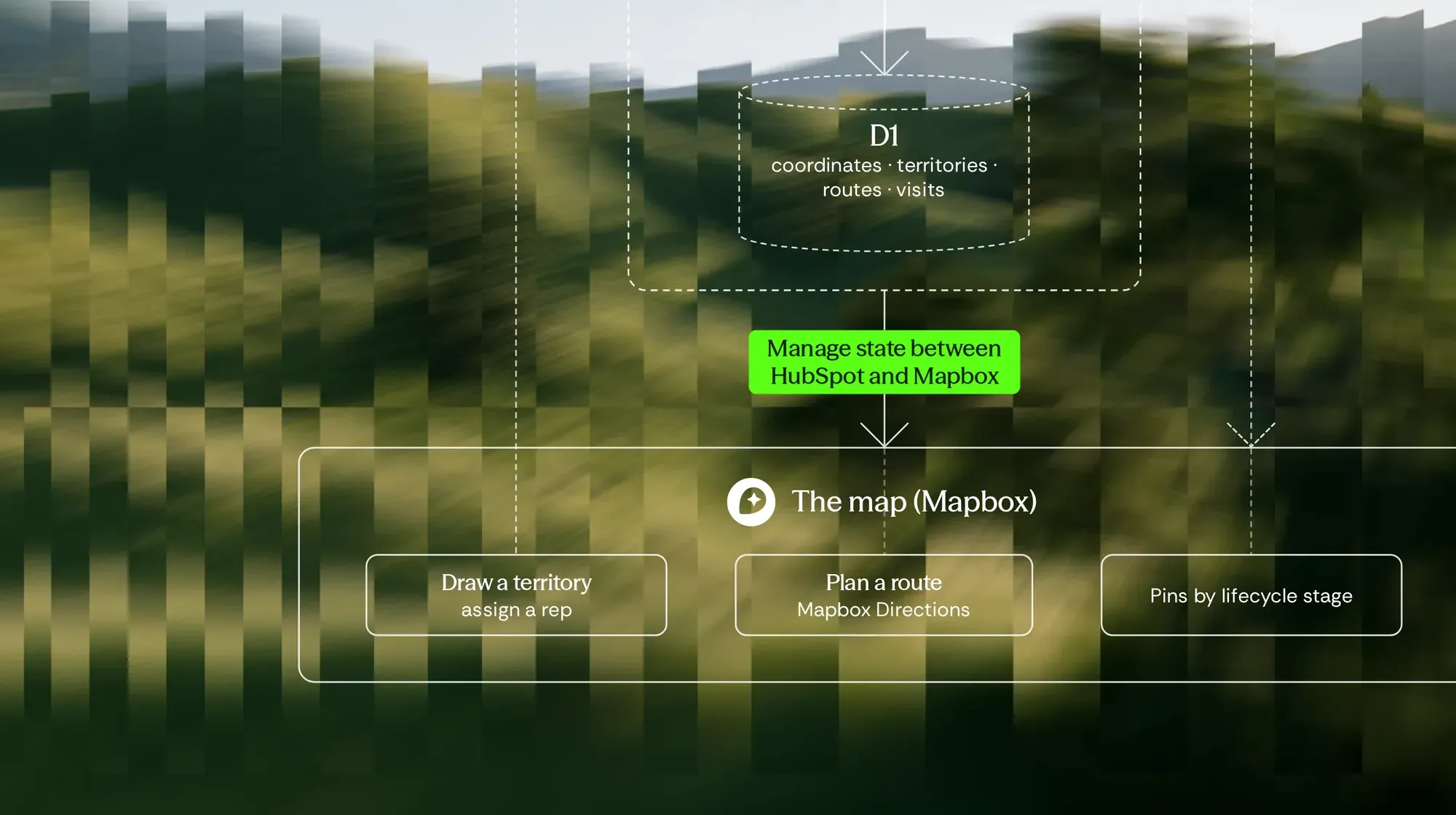
A field sales team plans its week around where its prospects are.
The prospects live in HubSpot — more than five thousand of them. But HubSpot lists them; it doesn't place them. Without seeing where they are, nobody can split them into territories, assign them to reps with any logic, or tell which areas are worth the drive.
And even with a map, the hard question comes every Monday: of all these prospects, which ones first?
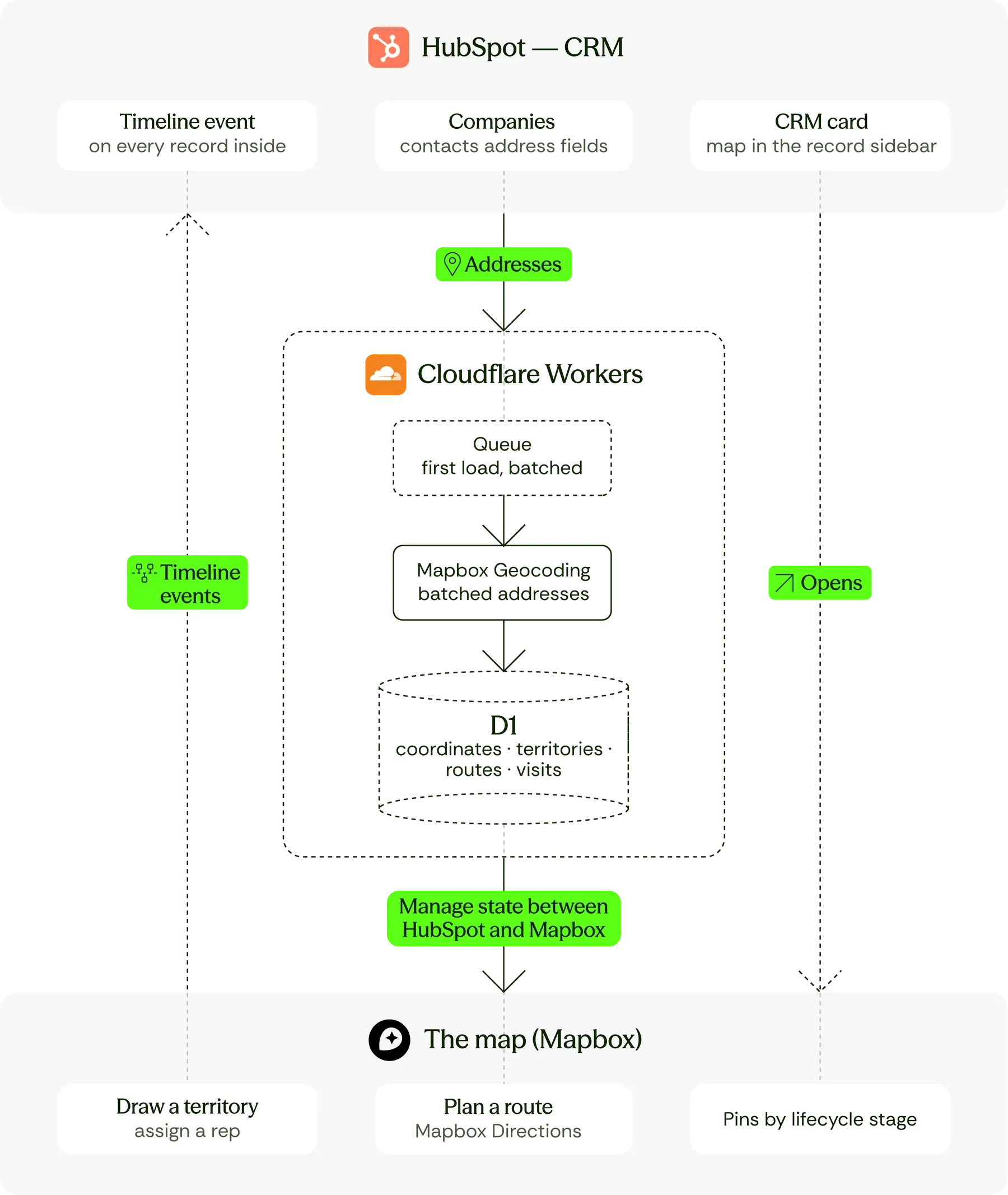
The design keeps it simple. HubSpot stays the source of the prospects. Mapbox draws the map and plans the routes. In between, a small layer on Cloudflare Workers holds the state neither of them owns: coordinates, territories, assignments, routes and every visit made.
Step 1: Map prospects in HubSpot
Every prospect's address is geocoded once, in batches, through Mapbox. The coordinates are stored in D1, and the map opens from them — every prospect a pin, colored by lifecycle stage.
A CRM card in HubSpot's record sidebar opens the same map from the prospect a rep is already looking at.
Step 2: Territories that sync back as lists
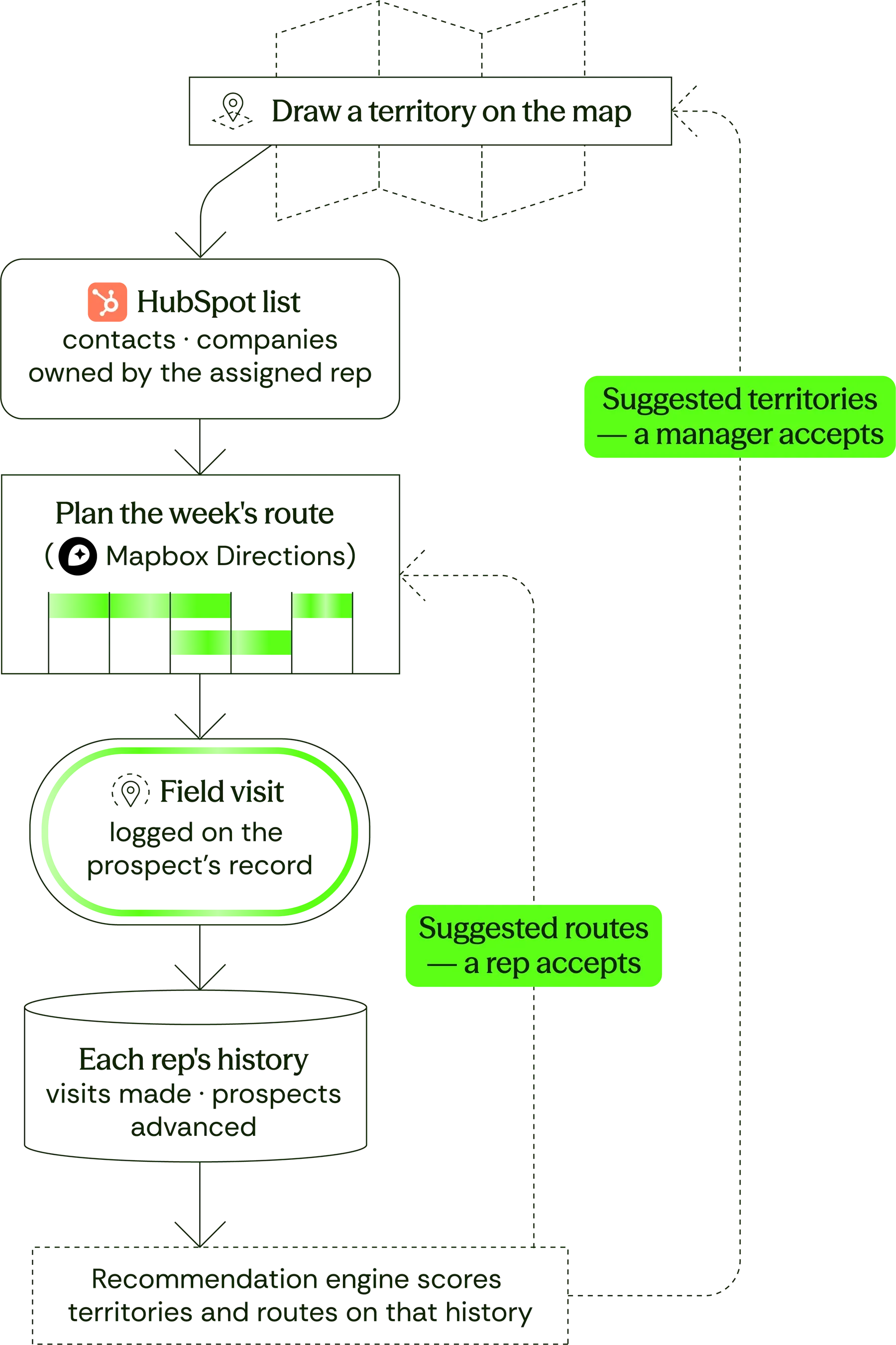
A sales manager draws a territory on the map. The prospects inside it become a HubSpot list, and each one gets an event on its timeline.
The territory isn't kept on the map. It exists in the CRM, usable in any view, workflow or report the team already has.
Step 3: Reps, routes and field visits
Each territory is assigned to a rep, who becomes the owner of its list. The rep plans a route through it with Mapbox Directions, and every visit made is logged on the prospect's record.
Nothing about a visit is thrown away. Where it was, who made it and what came of it all stay in the state layer — because that history is what the next step reads.
Step 4: Suggestions from each rep's history
Over time, every rep builds a record of their own: the areas where they convert, the prospects that moved forward after a visit, the routes that were worth driving.
A recommendation engine reads that history and suggests what to prioritize next — new territories that look like the ones a rep already wins in, and routes that reach the most promising prospects first. Suggestions appear on the map beside the territories drawn by hand.
A suggestion is only a suggestion. It becomes a territory or a route when a manager or a rep accepts it.
HubSpot stays the record
Territories and visits are HubSpot objects, so nothing lives only on the map.
Geocoding is cached
An address is resolved once and kept, so a list of five thousand is not five thousand lookups.
Assignment is auditable
Who owns which territory, and since when, is a field a manager can read without asking.
The map is a view, not a second database. Every territory, assignment and visit is written back where the CRM can see it.
Five thousand prospects become a visual repository — one map the whole team plans from, instead of a list nobody can picture.
The map is the prospecting plan. Each rep sees their territory, their prospects and their route for the week.
Territories live in HubSpot as lists the rep owns, so nothing drawn on the map stays only on the map.
Every field visit is on the record, so a manager knows which prospects were seen and which weren't.
Over time, the map shows which territories perform best — and turns each rep's own history into suggestions for where to go next.


Data problems shaped like this one?
If some of this reads like your situation, say which part. Datsugi replies within 2 business hours, guaranteed (CET).

Arrigo Lupori
Founder & Managing Director